
Navigating MyGrants
Now you are in your MyGrants landing page. Here are some features of the PowerBI application that will be of interest to you.
The tabs along the left side enable you to navigate through all the pages of the MyGrants reports. We currently have:
- Award Summary
- Award Details
- Activity Details
- Industry Sponsored Awards
- Staff Projection
We will go through each tab in detail on the subsequent pages.

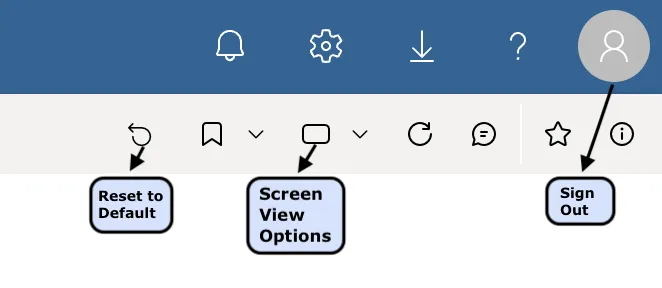
While the filters are very intuitive, it can be easy to lose track of what is set across pages. If you want to get back to the unfiltered, full set of data, use your "Reset to Default" button. Additionally, PowerBI allows you to choose the screen view mode that works best for you.
Exporting Data
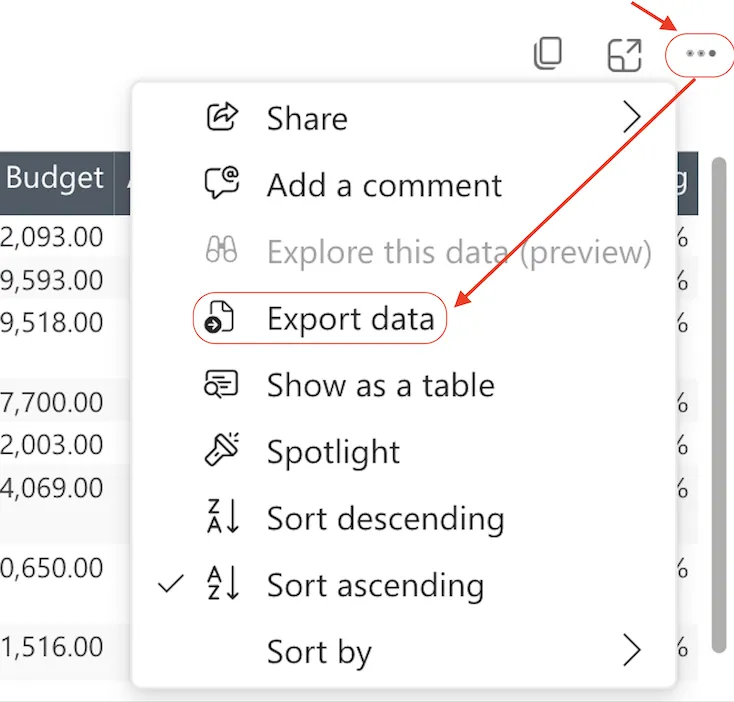
In the dashboard, you can export the data for any table or visual by hovering over the the top right of that item. When you hover, you will see three dots (...) appear. Click on the the dots and you will see a menu. Select Export Data and you will find Export options.
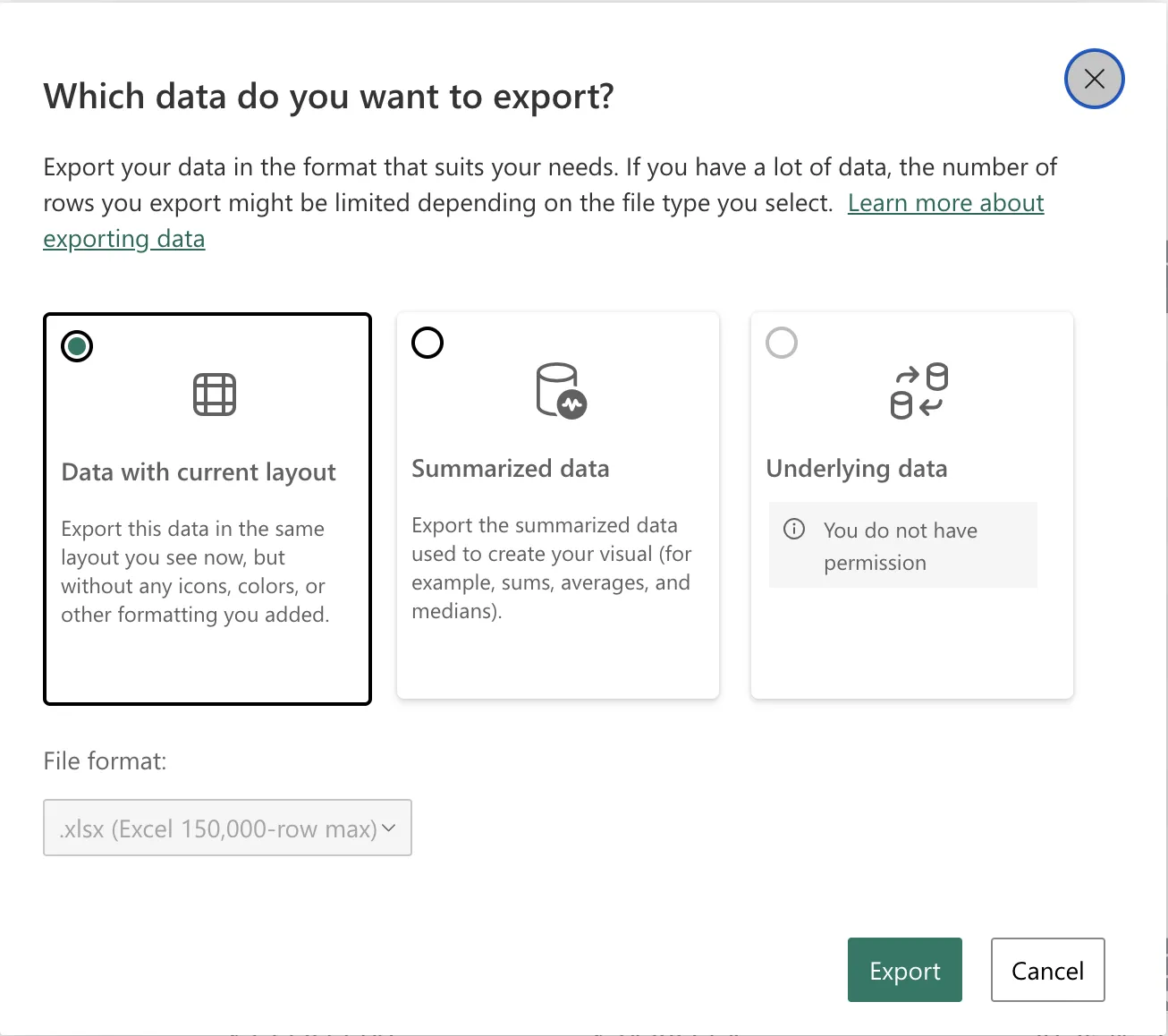
Depending on your role in MyGrants and the visual or table you are exporting you may have the options shown here to choose from. After making your selection, click Export.
Now you are ready to check out the details of each report tab!